Bring your own people-data provider
SignalsAPI finds companies that are hiring. To turn those companies into people you can contact — the right person, their email, sometimes their mobile — connect a people-data provider using your own API key.
- No key → your account is on the free tier: company signals only, no people data.
- With a key → decision-maker search returns people, and verified emails from every provider that has an email product — see the table below for the ones that don’t.
- People lookups cost no SignalsAPI credits — you only pay your provider for what you use.
- Some signup links below pay us a referral fee — see How we make money.
You manage everything on one screen: Settings → Provider.
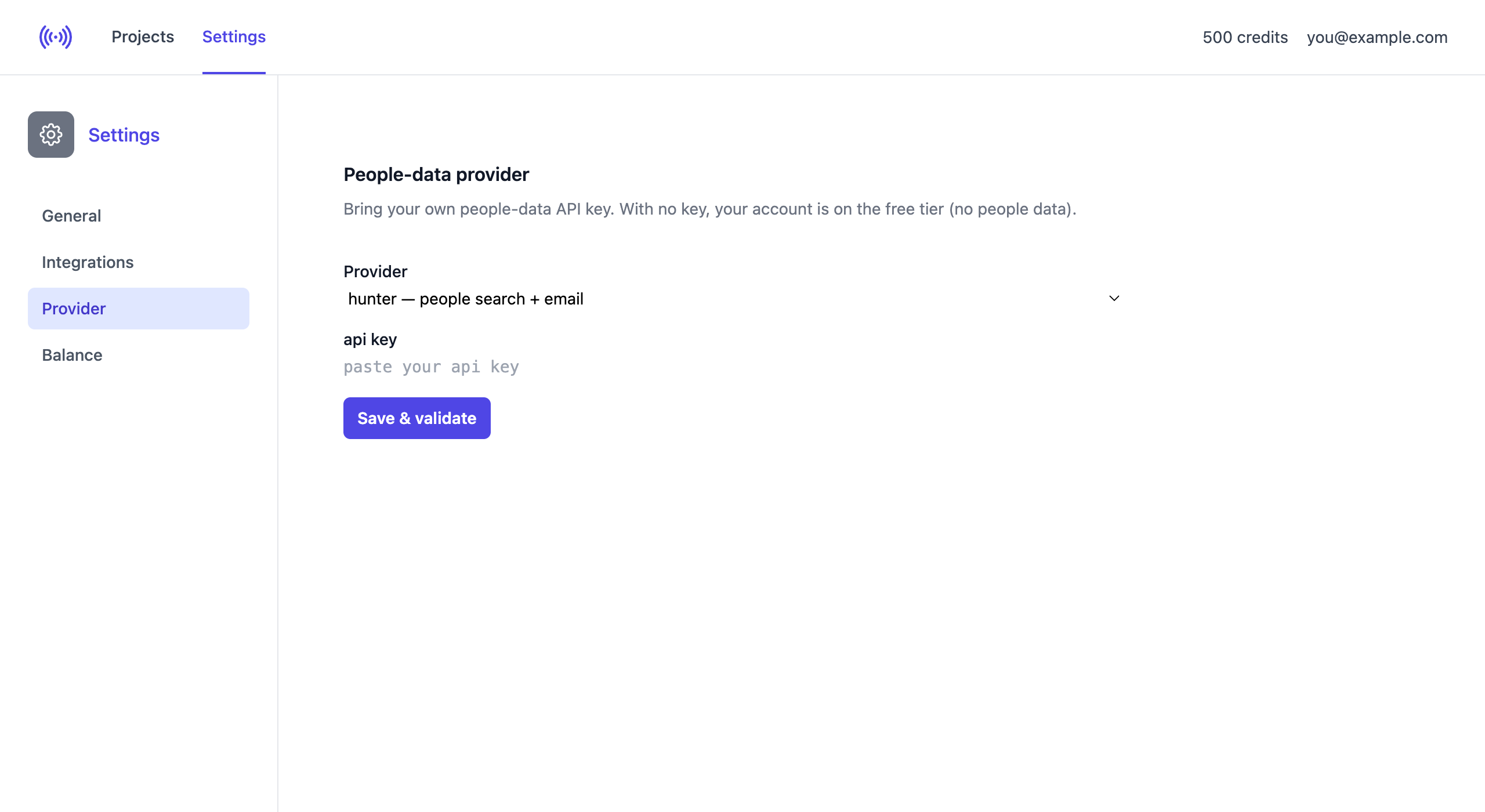
Choose your provider
Open the Provider dropdown and pick the provider you already have an account with. Each option says what it returns — people search, for most + email, and for some + mobile. You connect one provider at a time. To see how the providers differ on data and filtering, see Compare people-data providers.
| Provider | What you get | Paste | Get your key |
|---|---|---|---|
| Anymail Finder | people + email | API key | Anymail Finder |
| Icypeas | people + email | API key | Icypeas |
| People Data Labs | people + email | API key | People Data Labs |
| Prospeo | people + email | API key | Prospeo |
| Snov.io | people + email | Client ID + Client Secret | Snov.io |
| Hunter | people + email | API key | Hunter |
| LeadMagic | people + email + mobile | API key | LeadMagic — see Find phone numbers |
| Tomba | people + email + mobile | Key + Secret | Tomba — see Find phone numbers |
| Limadata | people + email + mobile | API key | Limadata — see Find phone numbers |
| HarvestAPI | people only — no email | API key | HarvestAPI |
| Wiza | people + email + mobile | API key | Wiza — see Find phone numbers |
| BetterContact | people + email + mobile | API key | BetterContact — see Find phone numbers |
| Mindcase | people only — no email | API key | Mindcase |
Enter your key
The form shows exactly the fields your provider needs. Most use a single API key; a few use two secrets — for example Snov.io asks for a Client ID and a Client Secret (found at app.snov.io/account/api), which appear as soon as you select it.
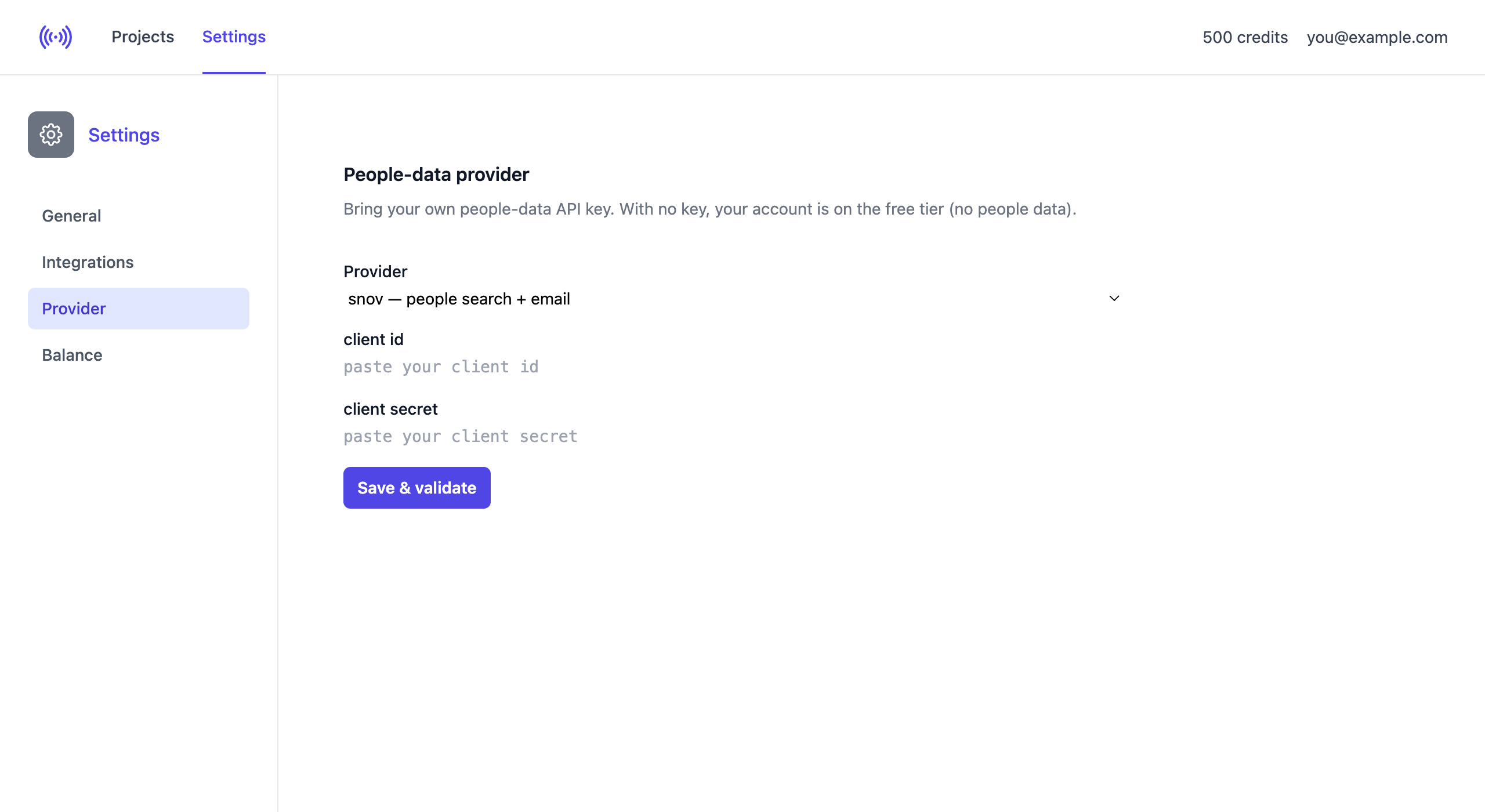
Paste your value(s) and click Save & validate. SignalsAPI checks the key with the provider straight away — it doesn’t just store whatever you typed.
Confirming it works
If the key is accepted you get a green confirmation and an active status. Only a masked fingerprint of your key (the last 4 characters) is ever shown.
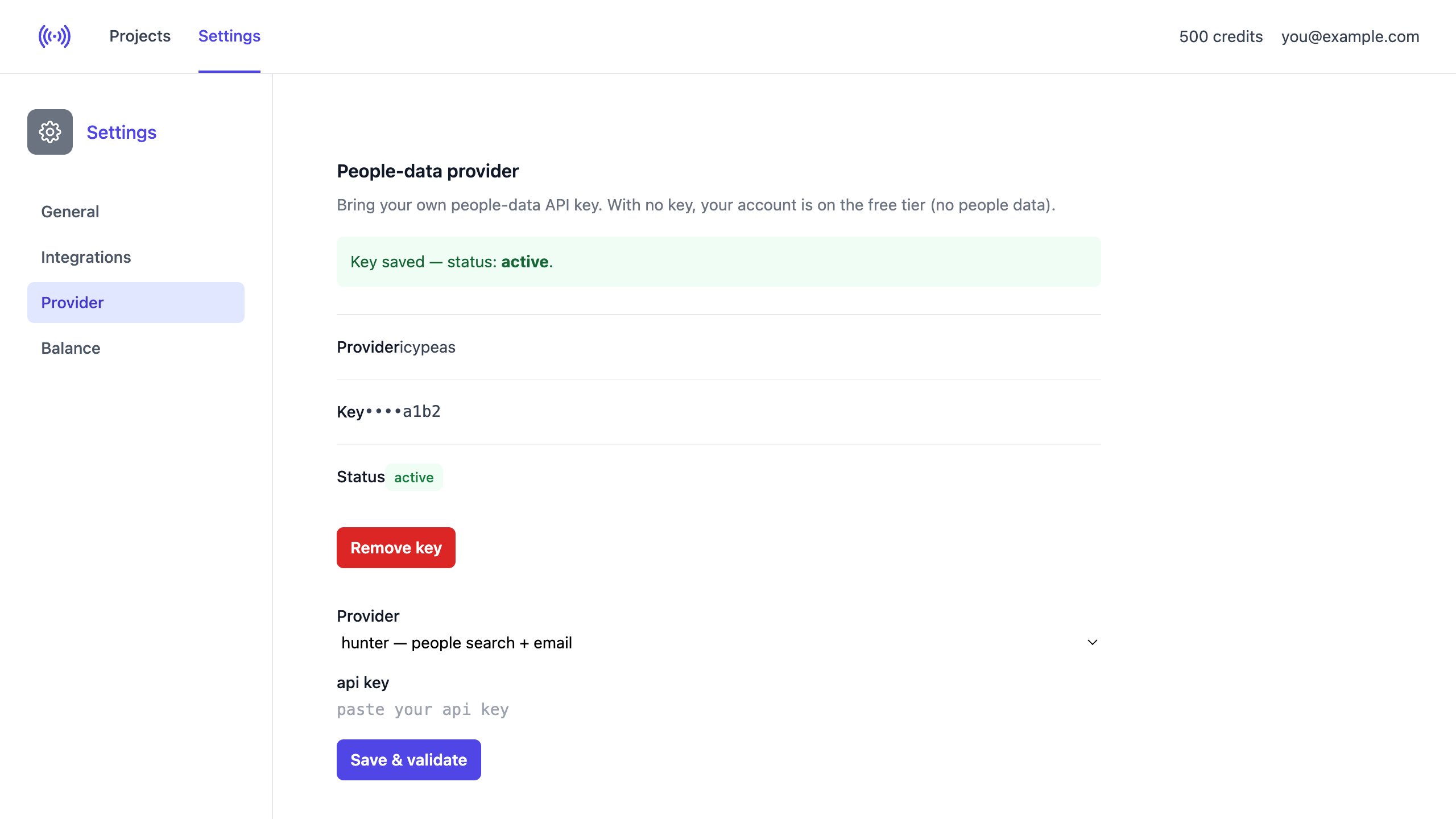
If the provider rejects it, the status is invalid and no people data is fetched until you fix it.
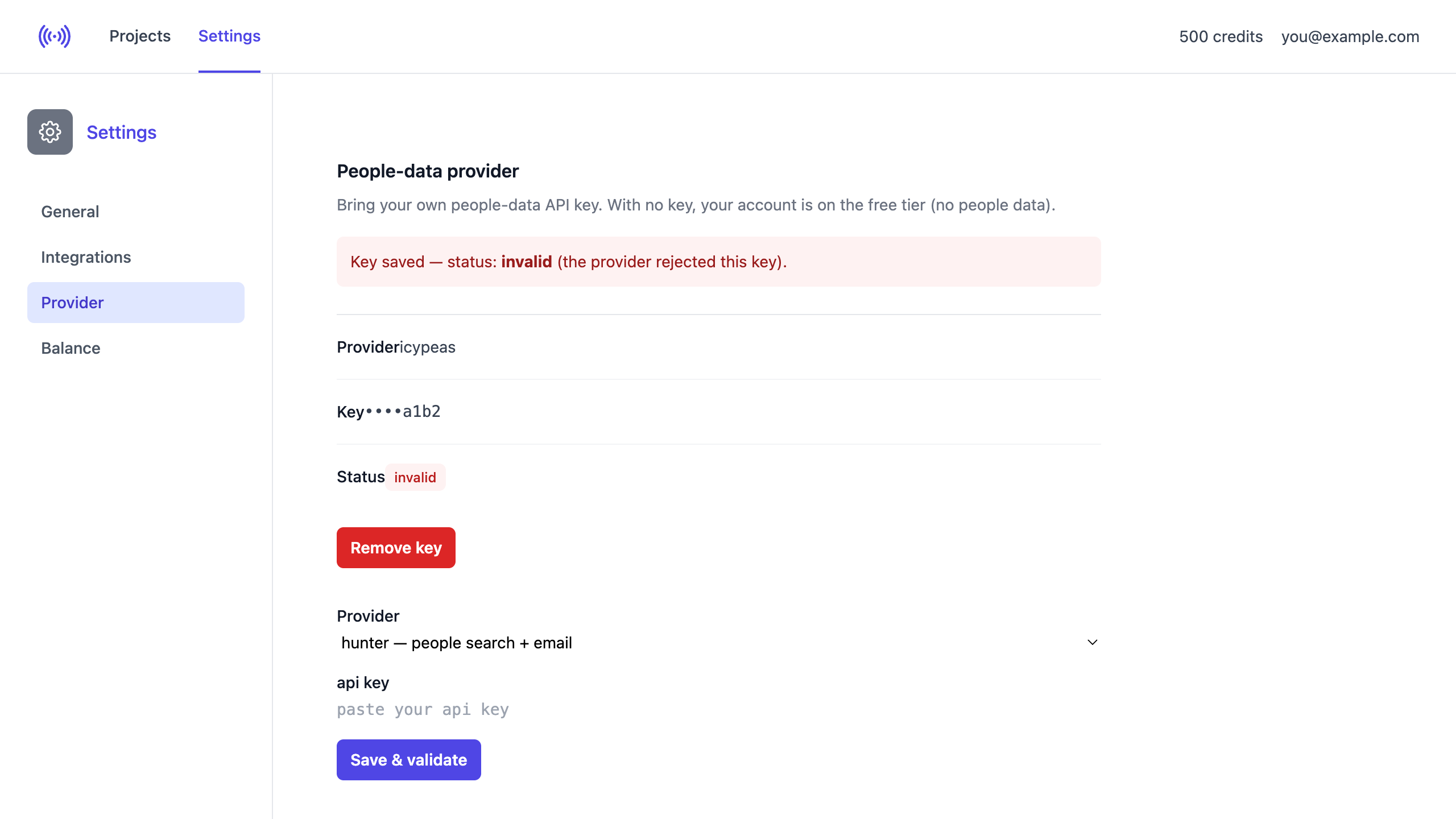
If you see invalid, check that you:
- Copied the full key with no extra spaces.
- Selected the right provider.
- Filled both fields for two-secret providers (Snov.io, Tomba).
- Haven’t revoked or rotated the key — regenerate it if unsure.
A key that was active can later turn invalid if the provider revokes it. If people data suddenly stops appearing, check this page.
Removing or switching
Click Remove key to delete your credentials — your account returns to the free tier. To switch providers, just select another provider and save a new key; it replaces the previous one.
How lookups are staged
When SignalsAPI builds your leads it uses your provider in a cost-staged order, so you don’t pay for people you’ll never contact:
- People search at the hiring company.
- AI qualification ranks and cuts the list.
- Email lookup runs only for the survivors — and only verified emails are kept. Providers with no email product are skipped here, and a project with “Email is required” on won’t spend anything against one.
- Phone lookup runs last, only for surviving leads, when Find phone numbers is enabled and your provider supports it (currently LeadMagic, Tomba, Limadata, Wiza, BetterContact only).
Your key is safe
Credentials are encrypted at rest, never displayed back (only the masked fingerprint), and used solely to call your provider on your behalf — never logged or shared.
Recent changes
-
2026-09-11 — Tomba gains mobile phone numbers, joining LeadMagic, Limadata and Wiza — 5 credits per number against a separate phone allowance. It can also now resolve an email from the decision-maker’s own LinkedIn profile instead of a guessed company domain, and runs a deliverability check against a bundled verification allowance rather than your finder credits.
-
2026-08-24 — Mindcase joins the bring-your-own people-data providers — a LinkedIn company-employees search with title, country and city filtered at source and the LinkedIn headline returned. It has no email product, so a project with “Email is required” on will not spend against it, and it can only search companies that have a LinkedIn page. One API key.
-
2026-08-19 — BetterContact joins the bring-your-own people-data providers — a waterfall across 20+ upstream vendors with title, country, skills, department and seniority filtered at source, the LinkedIn headline, verified emails and mobile phone numbers, charged only when a result is valid. No city filter. One API key.
-
2026-07-31 — Limadata joins the bring-your-own people-data providers — title, country, city and skills all filtered at source, LinkedIn profile and headline returned, and mobile phone numbers alongside LeadMagic. One API key.
-
2026-07-29 — HarvestAPI joins the bring-your-own people-data providers — LinkedIn lead search with title and country filtered at source. It has no email product, so it returns people and job titles only, and a project with “Email is required” on will not spend against it.
-
2026-07-29 — Wiza joins the bring-your-own people-data providers — title, country, city and skills all filtered at source, plus mobile phone numbers. Email and phone are reveals that bill only on a hit, spent against one-off API credits rather than a seat plan. One API key.
-
2024-05-30 — Auto-validating emails in Snov.io (exports -> add -> snovio -> validate emails)
-
2024-05-04 — Email unlocking speed increased
-
2024-05-02 — Fixed: unlocking emails gets stuck if email is missing
-
2024-05-02 — Auto-unlocking all emails if auto-approve is enabled
-
2024-05-01 — Fixed: email unlocking
-
2024-04-30 — Fixed: it is now possible to reject a lead that does not have unlocked emails
-
2024-04-25 — “Unlock email” link works much faster
-
2024-02-11 — Snov.io integration