Find phone numbers
Get a mobile phone number for each decision-maker alongside their email, so you can call or text directly without leaving your leads list.
Phone lookup is powered by your connected people-data provider. Currently LeadMagic is the only provider that supports mobile lookup — when you have a LeadMagic key saved, the option becomes available.
Enable phone lookup on a project
Open your project’s Persona settings and tick Find phone numbers.
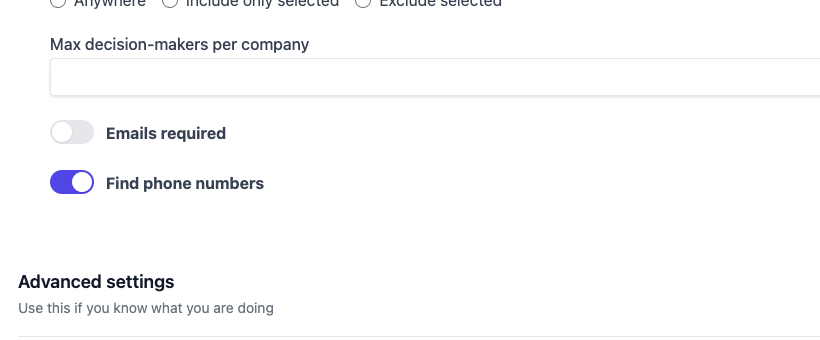
Phone lookup only runs when your connected provider supports it. If you select a provider that does not include mobile lookup the checkbox has no effect — no extra provider calls are made and no credits are spent.
Phone numbers in your leads list
Once personation runs with the option enabled, a Phone column appears in your leads list.

A dash (—) means the provider searched but found no number for that person. The lookup is on a best-effort basis — coverage depends on your provider’s database.
Lead detail page
The full phone number and its status are also shown on the individual lead page, alongside the rest of the person’s contact information.
CSV export
Phone numbers are included in the Download CSV export as the decision_maker_phone column, placed between email and job title.
website,decision_maker_linkedin_url,decision_maker_email,decision_maker_phone,signal_job_title
https://acme.com,https://linkedin.com/in/jane,jane@acme.com,+15551234567,Head of Sales
https://widget.co,https://linkedin.com/in/bob,bob@widget.co,,VP Engineering
An empty decision_maker_phone cell means no number was found for that lead.
Use phone in AI templates
The {phone} variable is available in any AI-generated field once a lead has a phone number. It’s most useful for generating an SMS-ready opener or a CRM routing note:
Draft a one-line SMS to {first_name} at {company_name} (hiring for {job_title}).
Their number is {phone}.
See AI variables for the full list.
How it fits into the cost-staged pipeline
Phone lookup runs after email enrichment — you only spend provider credits on people who already passed AI qualification and (when required) have a verified email:
- People search at the hiring company
- AI qualification ranks and cuts the list
- Email lookup for survivors (when “Email is required” is on)
- Phone lookup for survivors (when “Find phone numbers” is on)
This keeps phone costs proportional to the leads you actually surface.
Getting started
- Go to Settings → Provider and save a LeadMagic API key (leadmagic.io).
- Open a project, go to Persona, and tick Find phone numbers.
- Run personation — phone numbers appear in the leads list as results come in.