Bring your own people-data provider
SignalsAPI finds companies that are hiring. To turn those companies into people you can contact — the right person, their email, sometimes their mobile — connect a people-data provider using your own API key.
- No key → your account is on the free tier: company signals only, no people data.
- With a key → decision-maker search returns people and verified emails using your provider account.
- People lookups cost no SignalsAPI credits — you only pay your provider for what you use.
You manage everything on one screen: Settings → Provider.
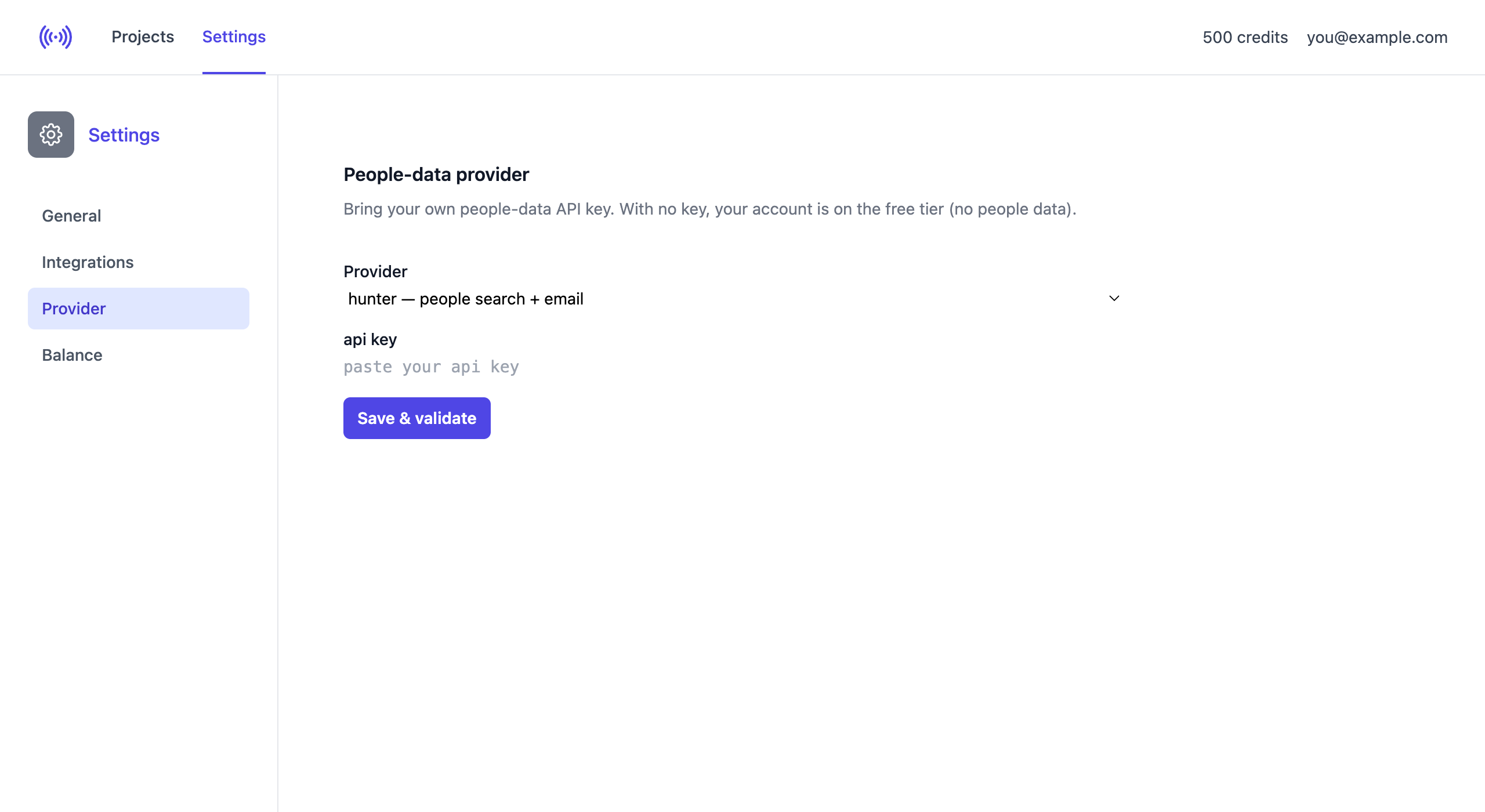
Choose your provider
Open the Provider dropdown and pick the provider you already have an account with. Each option says what it returns — people search + email, and for some + mobile. You connect one provider at a time.
| Provider | What you get | Paste | Get your key |
|---|---|---|---|
| Hunter | people + email | API key | hunter.io |
| Icypeas | people + email | API key | icypeas.com |
| LeadMagic | people + email + mobile | API key | leadmagic.io — see Find phone numbers |
| People Data Labs | people + email | API key | peopledatalabs.com |
| Prospeo | people + email | API key | prospeo.io |
| Snov.io | people + email | Client ID + Client Secret | app.snov.io/account/api |
| Tomba | people + email | Key + Secret | tomba.io |
Enter your key
The form shows exactly the fields your provider needs. Most use a single API key; a few use two secrets — for example Snov.io asks for a Client ID and a Client Secret, which appear as soon as you select it.
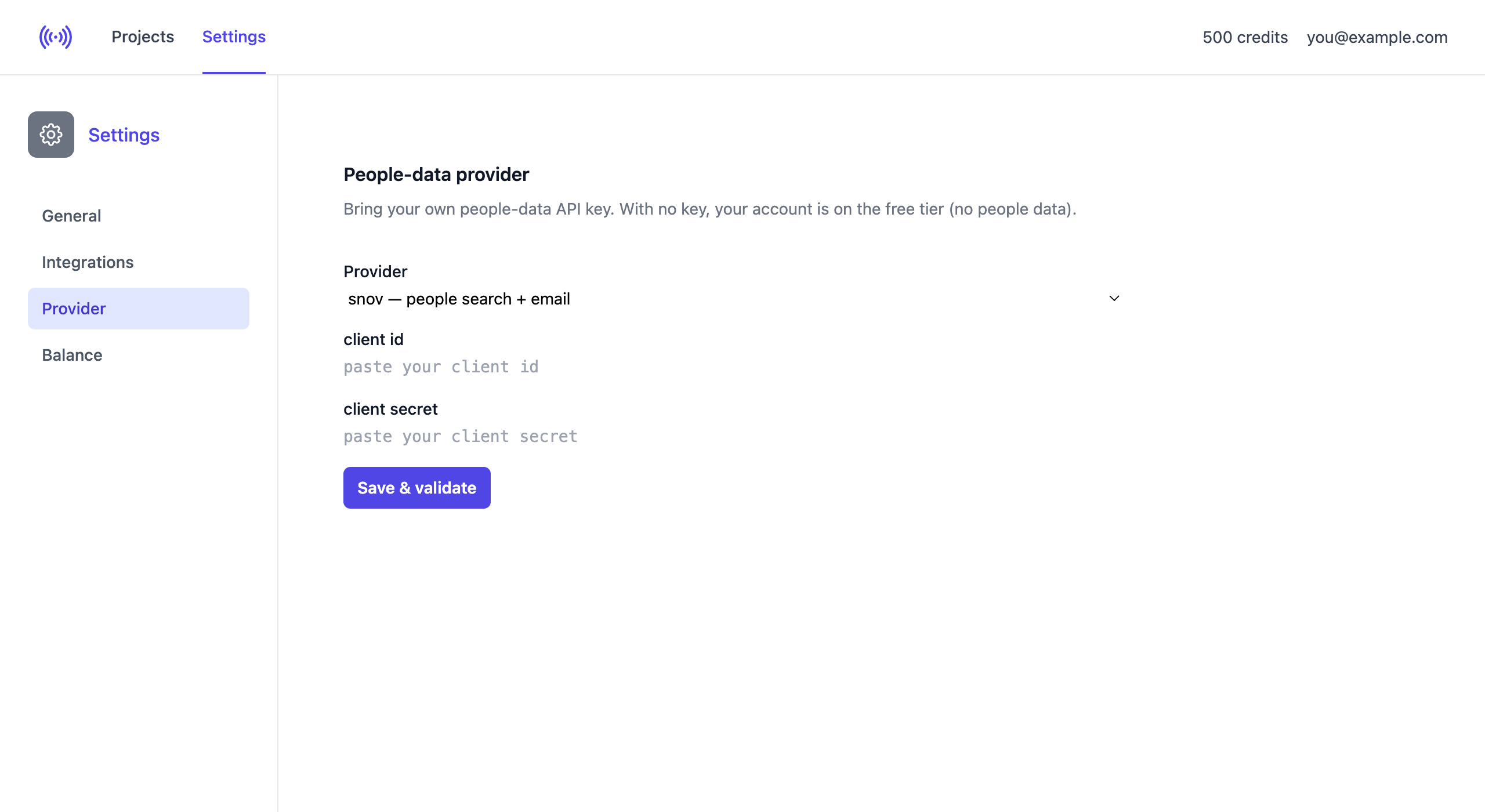
Paste your value(s) and click Save & validate. SignalsAPI checks the key with the provider straight away — it doesn’t just store whatever you typed.
Confirming it works
If the key is accepted you get a green confirmation and an active status. Only a masked fingerprint of your key (the last 4 characters) is ever shown.
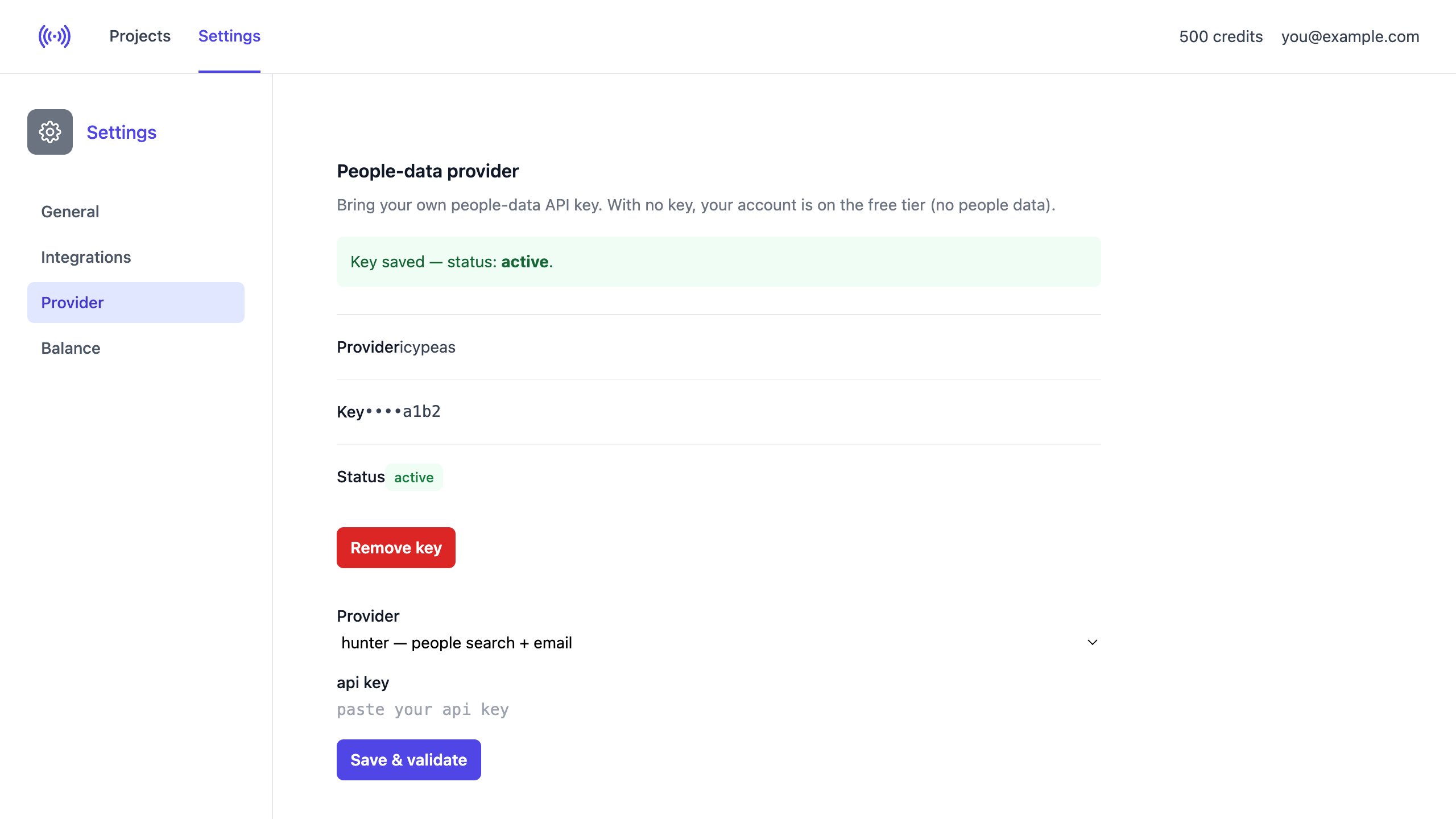
If the provider rejects it, the status is invalid and no people data is fetched until you fix it.
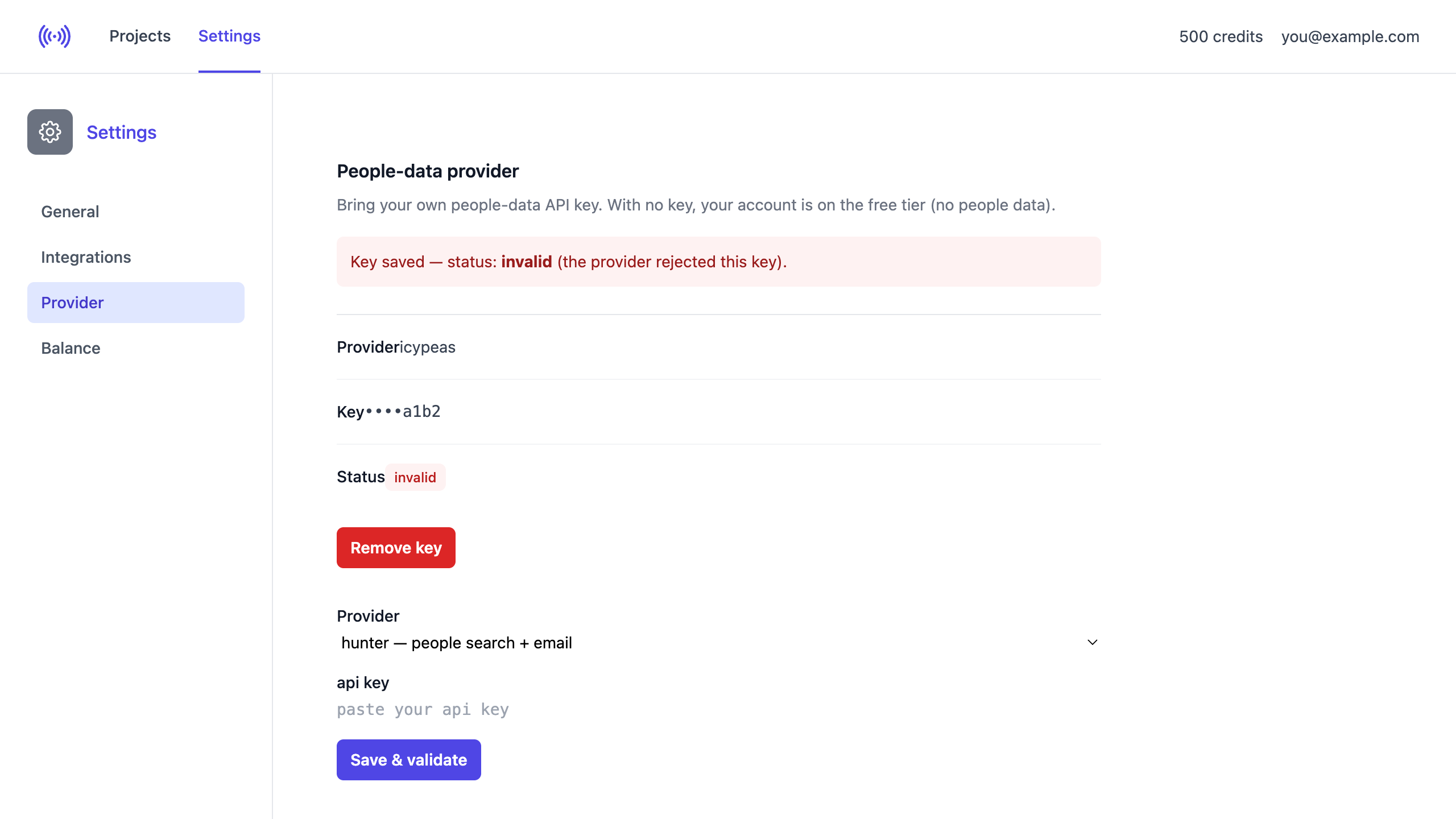
If you see invalid, check that you:
- Copied the full key with no extra spaces.
- Selected the right provider.
- Filled both fields for two-secret providers (Snov.io, Tomba).
- Haven’t revoked or rotated the key — regenerate it if unsure.
A key that was active can later turn invalid if the provider revokes it. If people data suddenly stops appearing, check this page.
Removing or switching
Click Remove key to delete your credentials — your account returns to the free tier. To switch providers, just select another provider and save a new key; it replaces the previous one.
How lookups are staged
When SignalsAPI builds your leads it uses your provider in a cost-staged order, so you don’t pay for people you’ll never contact:
- People search at the hiring company.
- AI qualification ranks and cuts the list.
- Email lookup runs only for the survivors — and only verified emails are kept.
- Phone lookup runs last, only for surviving leads, when Find phone numbers is enabled and your provider supports it (currently LeadMagic only).
Your key is safe
Credentials are encrypted at rest, never displayed back (only the masked fingerprint), and used solely to call your provider on your behalf — never logged or shared.